
Psst… want some company?

A little tag.
A way to reach
your family.
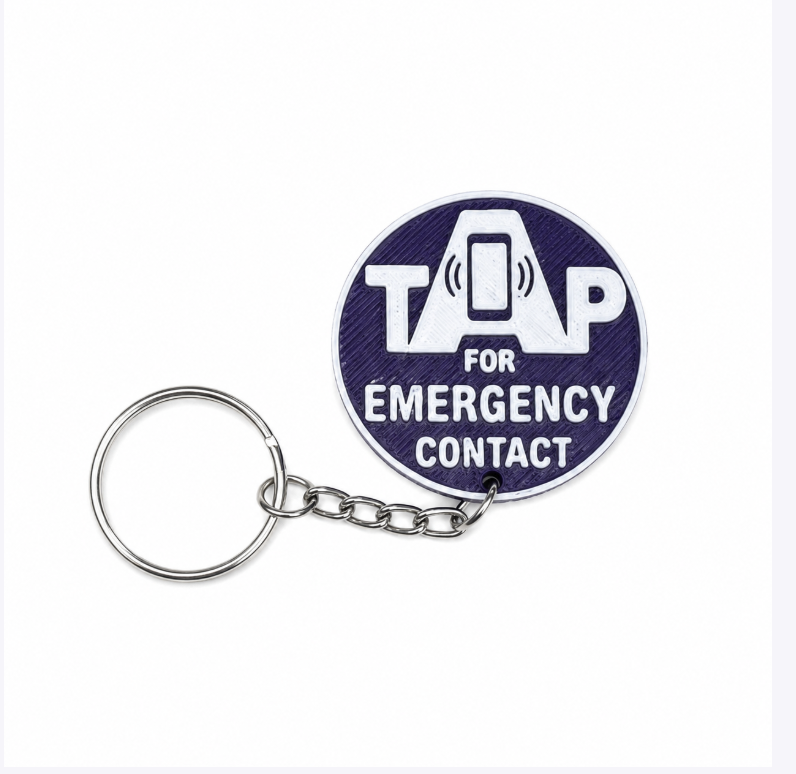
If your child becomes separated from you, someone can tap their KinTag with a compatible phone to open the contact details you’ve chosen to share.
A little tag.
A way to reach you.
Attach an activated KinTag to a bag, jacket or suitable accessory. If your child needs help finding you, someone can tap the tag with a compatible phone and open the contact details you chose to share.
The phone opening the page needs an internet connection. A KinTag is not a GPS tracker.
Try a little tap.
See what a helper opens when they tap a KinTag.
In real life, hold a compatible phone near the tag. The phone needs internet.
Set it up.
Add the contact details you want a helper to see.
Take it along.
Attach it securely using the accessory’s instructions.
Tap to connect.
A helper opens the contact page and calls or texts you.
Little adventures.
A way back to you.
A tap opens the contact details you choose to share.
See how KinTag works →

 A little tag.
Here are
my people.
My grown-up
Call my familySend a textIllustration only · no calls madeLittle videos. Practical answers.
Take a closer look at the tags, how they attach, and how setup works.
See it work
One tap. That’s the whole thing.
No app to install, nothing to pair, nothing to charge. Someone holds their phone to the tag and your contact page opens.
Filmed on a phone, not in a studio.

A little different.
A lot of heart.
Most otters are brown. Kin is indigo. He thinks that is a perfectly good colour for an otter. He loves muddy slides, funny-shaped stones, and inviting one more friend along. Sometimes he needs a helping paw, too.
A little colour. A little time together.
Find free colouring books and simple activities with Kin.
A little more information.
See the setup
Activation, the contact page and managing your tags.
The facts about KinTag
Compatibility, privacy, editable details and current plans.
Compare your options
KinTag, AirTag, ROAD iD and AngelSense serve different needs.
Our family. Our reason.
Meet the family behind Next to Kin, including Piper.
Coverage and mentions include CBC Radio, CTV News Regina, Regina Police Service and The Evan Bray Show. See the press page for dates, context and source links.
A few things
grown-ups ask.

What does a KinTag do?
An activated KinTag opens a contact page when someone holds a compatible phone near it. They can use the details you chose to share to contact you.
Does it track my child?
No. A KinTag is not a GPS tracker. It has no battery and does not report a location.
Which phones can tap it?
A compatible NFC phone can read the tag. Phone model and settings matter; our How it works page and tap help explain where to start.
Does the phone need internet?
Yes. The phone opening the contact page needs an internet connection. No app download is required.
How do I set it up?
Open your tag with a compatible phone and follow its activation instructions. If your order includes an activation code, keep it handy. A grown-up manages the contact details.
What can other people see?
Contact details you choose to share are visible to someone who opens the tag’s page. Only add information you are comfortable sharing.
Can I change the details?
Yes. Sign in to manage your tags and update their contact details.
What if a tag is lost?
Contact our support team for help with a lost tag and the replacement options for your order.
What does it cost?
Current tag plans are $1/month, $10/year, or $25 for life, in CAD. Check the order page for setup, accessories and the full total.
Who can help?
Email support@nexttokin.ca or visit Tap help.
 There’s room for you here